 Sleeping Beauty
Pre-orders that look like your store made them.
Pre-orders, drops and back-in-stock for fashion brands. The button, the ship date and the waitlist take on your theme, and Shop Pay and Apple Pay keep working.
Free to start. Pro is $19.99 a month, with no fees per order.

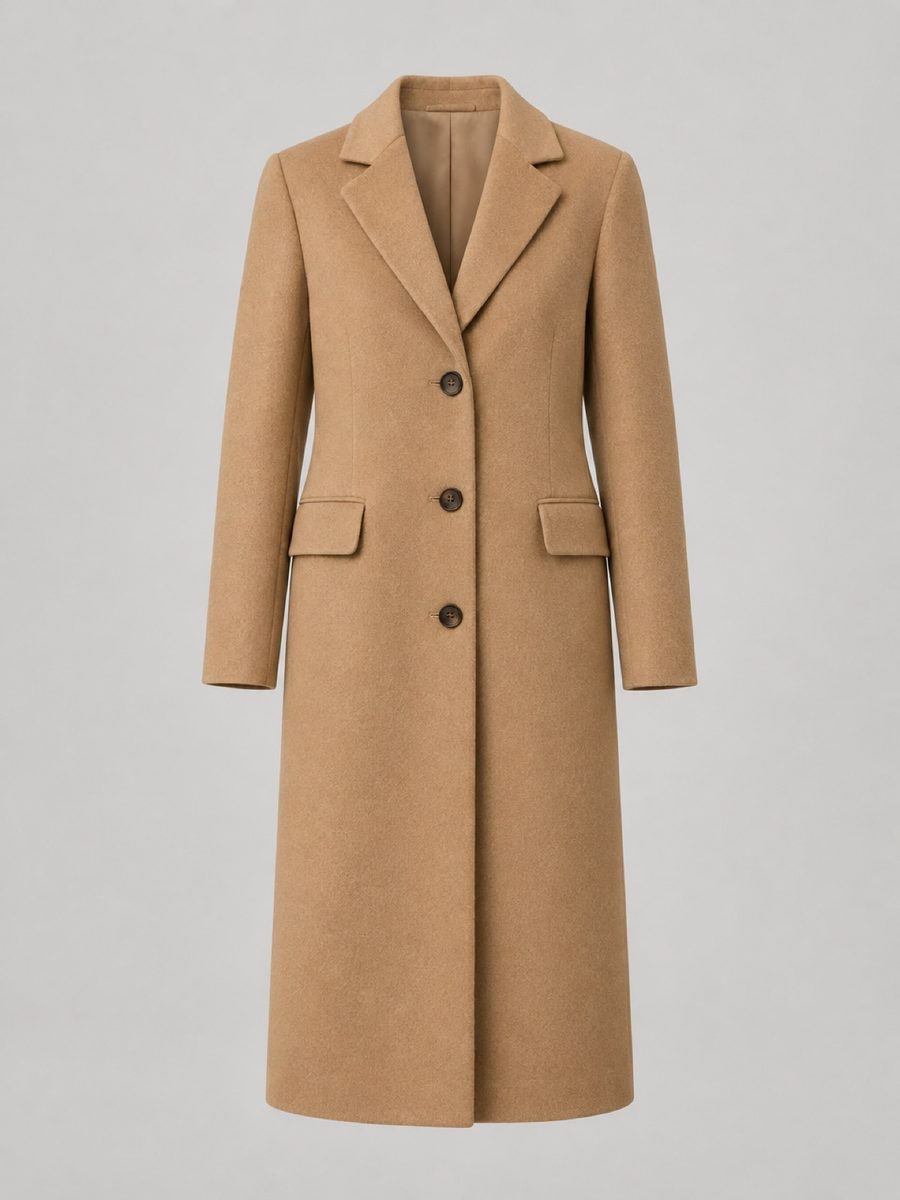
Wool Overcoat
$420.00
Size
Shop Pay and Apple Pay keep working.
Drop shoppers buy on their phones, so the default changes nothing at checkout. Deposits are there when you need them.
Keep selling
The default
Your store keeps selling past zero, and the button says Pre-order. Shop Pay, Apple Pay, Google Pay and every other way to pay keep working, because checkout doesn't change.
Shopify pre-order checkout
When you need it
Take a deposit, as a percentage or an amount, or charge nothing until it ships. Runs on Shopify's own pre-order checkout, and the app tells you plainly which wallets that turns off.
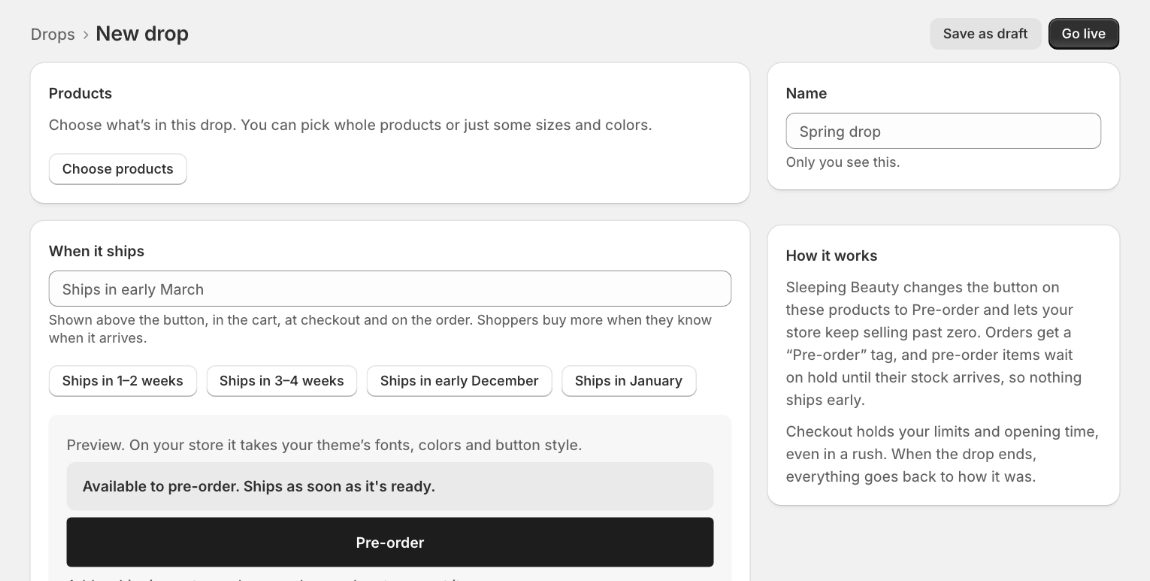
A live pre-order in three decisions.
Choose the products
Whole products or just some sizes and colours.
Say when it ships
“Ships in early March” appears above the button, in the cart, at checkout and on the order.
Say when it's a pre-order
Only when sold out, always, or between an opening and closing time. Then go live.
Built for drop day.
A countdown before it opens, a waitlist emailed the moment it does, and limits that hold in a rush.
Before it opens
The product shows Coming soon with a countdown. Shoppers join the list with Notify me.
The moment it opens
Everyone on the list gets an email, in your store's look and their own language.
In the rush
Limits per size, per product and per customer are checked at checkout, so resellers can't clear you out and you don't sell what you can't make.
When stock comes back
Restock emails go out first come, first served, in waves sized to the stock you have.
Pre-orders and restocks, in one app.
Back in stock
A Notify me field on sold-out sizes. Shoppers can ask for a text too, with their consent, on Pro.
Restock emails in your look
Your store's name and colour, replies come to you, and the words are in the shopper's language: 21 of them.
Klaviyo and Shopify Flow
Sign-ups sync to a Klaviyo list, ask for Shopify email marketing consent, and start Shopify Flow workflows.
Early-bird price
Give a percentage off pre-ordered items, applied automatically at checkout.
Nothing ships early
Pre-order items wait on hold and are released, oldest order first, as stock arrives.
Dates change. Say so.
Email every buyer a new ship date from the drop in one step.
Know what to make again.
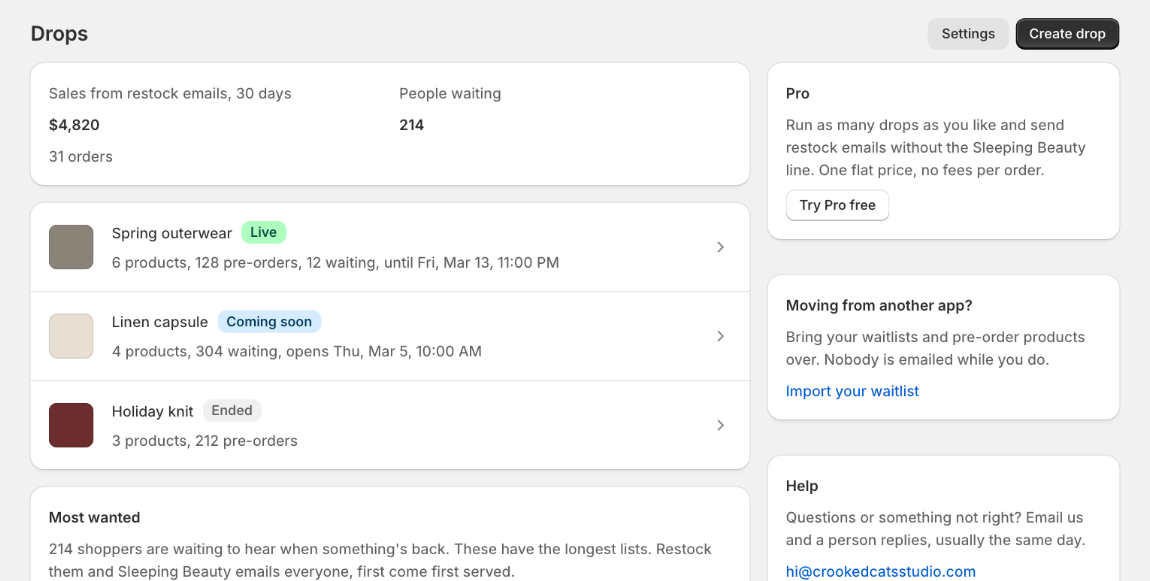
- Most wanted: the sold-out items with the most people waiting, so you know what to make again.
- Sales from restock emails: what the emails brought in over the last 30 days.
- Every drop and waitlist on one screen, live, coming soon or ended.
Switching? Bring your waitlist.
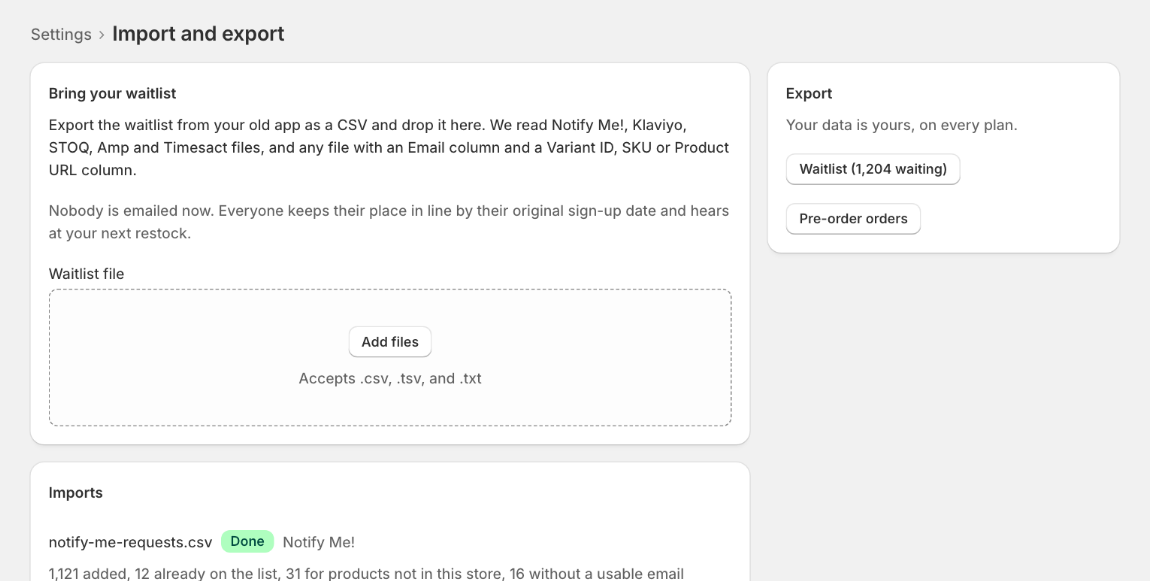
- Import waitlists from Notify Me!, Klaviyo, STOQ, Amp and Timesact CSV files.
- Coming from PreOrder Now? The app finds the pre-orders already in your store.
- Nobody is emailed while you import. Everyone keeps their place in line by the date they signed up.
- Export your waitlists and pre-orders on every plan. Your data is yours.
One flat price. Never a cut of your drop.
No fees per order, ever. Your price doesn't go up when a drop sells out.
Free
$0
For your first drop.
- 1 live drop
- Notify me, with 100 restock emails a month
- A small “Powered by” line
Pro
$19.99a month
One flat price.
- Unlimited drops
- 20,000 restock emails a month, up to 1,000 a day
- No “Powered by” line
Questions
Does it work with Shop Pay and Apple Pay?
Yes. By default the store simply keeps selling past zero, so checkout is unchanged and every payment method works. If you choose deposits or pay later, those run on Shopify's own pre-order checkout, which Shopify doesn't offer with some wallets. The app tells you which before you choose.
What happens in a rush?
Your limits are checked at checkout, so a drop can't sell more than you set, per size, per product or per customer. We send up to 1,000 emails a day, so a bigger list goes out over a few days. Restock emails go out in waves sized to your stock, earliest sign-ups first, so you don't email more people than you have stock for.
Can I move from another app?
Yes. Import waitlists from Notify Me!, Klaviyo, STOQ, Amp or Timesact CSV files, and the app finds pre-orders PreOrder Now already placed in your store. Nobody is emailed while you import, and everyone keeps their place in line.
Does it change my theme?
No code is edited. You switch it on once in the theme editor and it places itself above your buy buttons, taking on your theme's fonts, colours and buttons. It works with Horizon and other themes. Remove the app and it's gone.
Ready for your next drop.
Sleeping Beauty is made by Crooked Cats Studio, a small studio in San Diego, California. Questions? Write to hi@crookedcatsstudio.com. A person replies, usually the same day. Read the privacy policy.